ChainDrop shows how npm worms are moving from package compromise to CI/CD takeover

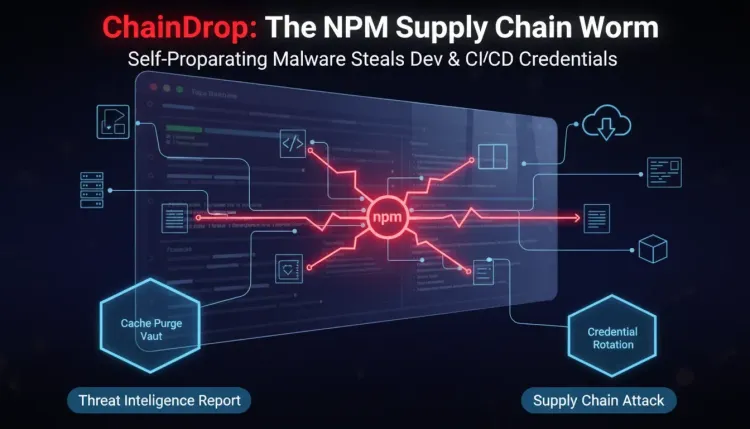
ChainDrop shows how npm worms are moving from package compromise to CI/CD takeover
Microsoft Threat Intelligence has published a detailed analysis of ChainDrop, a large npm supply chain compromise involving more than 400 packages across unrelated publishers. The malicious releases carried a Mini Shai-Hulud variant: a self-propagating credential-stealing worm delivered through a heavily obfuscated Bun-based JavaScript payload.
The important part is not only the package count. It is the shape of the attack. ChainDrop did not behave like a single poisoned library waiting for developers to install it. It searched developer workstations and CI/CD environments for credentials, used those identities to enumerate npm, GitHub, AWS, Kubernetes, and HashiCorp Vault resources, exfiltrated secrets, and then republished additional packages when it found npm publishing access.
That makes the incident a useful warning for software teams: a package install can become a release-system compromise. Once a malicious dependency executes inside a build runner, the boundary between dependency risk, developer endpoint security, cloud secrets, and package publishing starts to collapse.
What happened
Microsoft says ChainDrop appeared as a rapid sequence of unauthorized patch releases across more than 400 npm packages maintained by otherwise unrelated publishers. Many malicious package versions reportedly had no matching source-code commit, pull request, tag, or legitimate release, suggesting that attackers modified and published package tarballs directly rather than compromising every public repository.
The payload was triggered through an npm preinstall lifecycle hook. That matters because preinstall scripts run before package installation completes, often before tests, build checks, or conventional review workflows have a chance to stop the package. If a developer workstation or build runner installed an affected package with lifecycle scripts enabled, the malicious code could execute immediately.
After execution, the malware determined whether it was running on a developer endpoint or inside CI/CD. On workstations, it could detach and continue running in the background. In CI environments, it stayed attached to the active job so it could access workflow secrets, runner credentials, and OpenID Connect publishing permissions.
Microsoft's analysis says the malware collected credentials from local files, environment variables, command-line tools, shell history, cloud configuration, SSH keys, and GitHub Actions runner memory. It then used available credentials to authenticate to services such as npm, GitHub, AWS, Kubernetes, and HashiCorp Vault, validating access and pulling more secrets where permissions allowed.
The worm's propagation behavior is what separates ChainDrop from a normal credential stealer. When it found an npm publishing token, it enumerated packages available to that identity, downloaded their latest tarballs, inserted the malware and setup loader, added a preinstall hook, incremented the patch version, and republished the modified package. One compromised maintainer identity could therefore produce many malicious releases.
Why this is a supply chain escalation
The software supply chain has always depended on trust, but that trust is now operationally concentrated in developer accounts, package registries, CI/CD tokens, repository secrets, and automated publishing workflows. ChainDrop targeted that concentration directly.
In a traditional supply chain attack, defenders often start by asking which package was compromised and which applications consumed it. That is still necessary, but it is too narrow for a worm that hunts credentials and repackages other projects. Teams also need to ask which identity installed the package, which credentials were present, which repositories or registries that identity could write to, and which artifacts were produced after the malicious install.
The use of npm lifecycle scripts is especially uncomfortable because it turns installation itself into execution. Developers may think they are pulling a dependency into a local test project. Build systems may think they are restoring packages from a lockfile or cache. In both cases, a malicious preinstall hook can run in the environment where sensitive tokens are already present.
The risk is also transitive. A package can be clean in source control while the published tarball is malicious. A build cache can retain poisoned content after upstream packages are removed. A stolen npm token can create new malicious releases under a legitimate maintainer's name. A compromised GitHub token can modify repository configuration and create persistence that outlives the original package install.
Developer tooling became part of the blast radius
Microsoft also reported that the malware could use stolen GitHub credentials to inject Claude and Visual Studio Code configuration files into repositories, creating another path for developer-to-developer reinfection. The specific files described include .claude/settings.json, .claude/setup.mjs, .vscode/tasks.json, and .vscode/setup.mjs.
That detail matters because AI coding tools and editor automation are now part of the developer runtime. They read configuration, execute tasks, call tools, and often sit near source code and secrets. If attackers can poison those configuration paths, the compromise is no longer limited to the original npm install event. It can become a persistence mechanism triggered later by normal development activity.
This is not an argument to stop using developer automation. It is an argument to treat developer automation as an execution surface. Editor tasks, AI assistant configuration, package lifecycle hooks, GitHub Actions workflows, and trusted publishing identities all deserve the same suspicion that teams already apply to production scripts.
What defenders should check
Organizations that installed affected package versions with lifecycle scripts enabled should treat the associated developer workstation or build runner as potentially compromised. The safest response starts from a known-clean host, because rotating secrets from a machine that may still be running the payload risks handing new credentials to the attacker.
Start with dependency and package evidence:
- Review dependency trees, lockfiles, artifact repositories, package mirrors, and CI caches for affected versions
- Compare installed package tarballs against source repository history, commits, tags, and expected release metadata
- Purge npm and yarn caches on impacted developer endpoints and build hosts
- Pin known-good package versions while the ecosystem response stabilizes
- Rebuild applications from a clean dependency baseline before trusting new artifacts
Then move to identity and credential response:
- Revoke and rotate npm tokens, GitHub tokens, cloud keys, Kubernetes credentials, and Vault secrets exposed to affected systems
- Review npm publisher activity for unexpected patch releases
- Check GitHub repositories for unauthorized branches, commits, workflows, Actions secrets access, and suspicious configuration changes
- Audit CI/CD jobs for unusual environment-variable access, OIDC token use, package publication, or outbound network traffic
- Review cloud and secret-store logs for enumeration from developer or build identities
For endpoint and build-runner detection, defenders should look for suspicious Node.js or Bun execution from package directories, unexpected setup.mjs files, unknown JavaScript payloads, unusual child processes during package installation, and outbound traffic to attacker-controlled infrastructure. Microsoft listed infrastructure including npm-cache[.]com, pypi-get[.]com, and js-mirror[.]com as indicators in its analysis.
Why caches and artifacts matter
The hardest part of a worm-style package compromise is recovery confidence. Removing a malicious package version from a manifest does not automatically remove it from shared caches, base images, artifact repositories, or developer machines. If poisoned tarballs were cached, future builds may continue to consume them even after upstream remediation.
The same is true for artifacts produced during the exposure window. A build created on a compromised runner may have used stolen secrets, included tampered dependencies, or been signed and published through legitimate automation. That does not mean every artifact is malicious, but it does mean artifact trust needs to be re-established deliberately.
For teams that publish software, the response should include release hardening. Review token scopes, protected environments, workflow approvals, provenance settings, registry permissions, and anomaly detection around automated package publication. If trusted publishing or GitHub Actions OIDC was available to an affected workflow, validate whether that path was used.
The strategic lesson
ChainDrop is another sign that package ecosystems are becoming active propagation networks, not passive dependency stores. Attackers are no longer limited to tricking one project into installing one bad package. With the right credentials, they can turn package registries, CI jobs, and developer tooling into distribution machinery.
That means software supply chain defense cannot stop at Software Composition Analysis. SCA helps identify vulnerable or malicious dependencies, but ChainDrop-style response also requires endpoint telemetry, registry monitoring, CI/CD logging, secret rotation, cache hygiene, and artifact verification. The useful question is not only "did we depend on this package?" It is also "what could the environment that installed it reach?"
The practical response is clear: pause risky installs where necessary, identify affected package versions, rotate exposed credentials from clean systems, purge caches, rebuild from trusted baselines, and review release pipelines for unauthorized publication. Treat developer workstations and build runners as production-adjacent systems, because for attackers targeting the supply chain, they already are.