wp2shell puts WordPress core in emergency patch mode

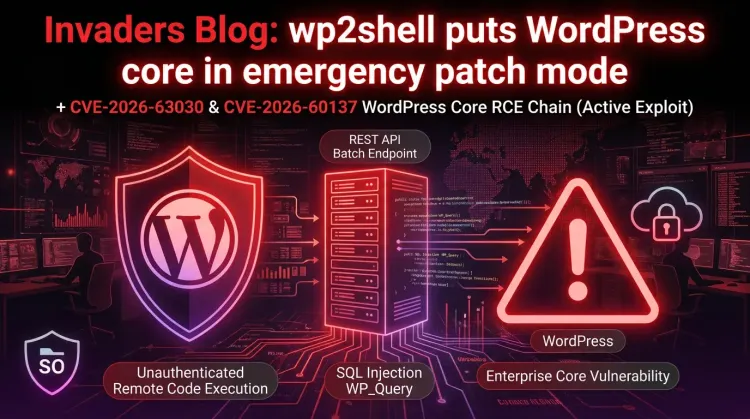
wp2shell puts WordPress core in emergency patch mode
WordPress administrators have a rare core-level emergency on their hands. On July 17, 2026, WordPress released security updates for the 6.8, 6.9, and 7.0 branches after researchers disclosed wp2shell, a vulnerability chain that can turn an anonymous request against affected WordPress core installations into remote code execution risk.
The headline matters because this is not a plugin story. Searchlight Cyber says the chain can be exploited by an anonymous user against a stock WordPress install with no plugins. WordPress also enabled forced automatic updates for affected versions because of the severity. For defenders, the practical message is simple: confirm the exact core version, verify that auto-update actually completed, and apply compensating controls only as a short bridge to patching.
What happened
The issue set centers on two WordPress core CVEs:
- CVE-2026-63030 - REST API batch endpoint route confusion in WordPress 6.9.x before 6.9.5 and 7.0.x before 7.0.2.
- CVE-2026-60137 - SQL injection involving the
author__not_inparameter ofWP_Query, affecting WordPress 6.8.x before 6.8.6, 6.9.x before 6.9.5, and 7.0.x before 7.0.2.
On its own, the SQL injection issue has narrower preconditions. The risk escalates on WordPress 6.9 and 7.0 branches because the REST API batch-route confusion can be chained with the SQL injection to bypass the expected guardrails and reach a pre-authentication attack path.
That is why wp2shell is being treated as a core vulnerability management event rather than a normal CMS maintenance item.
Affected and fixed versions
Defenders should separate the RCE chain from the SQL injection-only exposure:
| WordPress branch | Exposure | Fixed version |
|---|---|---|
| 6.8.x before 6.8.6 | SQL injection issue | 6.8.6 |
| 6.9.0 - 6.9.4 | wp2shell RCE chain | 6.9.5 |
| 7.0.0 - 7.0.1 | wp2shell RCE chain | 7.0.2 |
Searchlight Cyber's advisory lists WordPress versions 6.9.0 through 6.9.4 and 7.0.0 through 7.0.1 as affected by wp2shell, and says versions 6.8.5 and below are not affected by that specific RCE chain. The SQL injection CVE, however, still affects the 6.8 branch before 6.8.6, so 6.8 sites should also update.
Why this is severe
Most WordPress incident response starts with plugins, themes, weak credentials, or exposed admin panels. wp2shell changes the shape of the conversation because the vulnerable component is WordPress core, reachable through the REST API batch endpoint on ordinary installations.
Several details raise priority:
- No plugin dependency - the issue is in core behavior, not a third-party extension.
- Pre-authentication path - affected systems can be targeted before login.
- REST API exposure - the batch endpoint may be reachable as
/wp-json/batch/v1or through?rest_route=/batch/v1. - Public exploit pressure - public proof-of-concept activity and exploit development were reported shortly after disclosure.
- Large install base - WordPress powers a major share of public websites, so opportunistic scanning is expected.
Even where remote code execution requires chaining and environmental details, defenders should treat the exposure as urgent. A successful path could move from SQL injection to administrative access, webshell upload, or other post-compromise actions depending on the target.
What defenders should do now
1. Verify patch level, not just auto-update status
WordPress.org enabled forced automatic updates for affected versions, but that is not the same as proof of remediation. Check the actual core version across production, staging, dormant, and client-managed sites.
Target versions:
- WordPress 7.0.2 for the 7.0 branch
- WordPress 6.9.5 for the 6.9 branch
- WordPress 6.8.6 for the 6.8 branch SQL injection fix
2. Block anonymous batch API access if patching is delayed
Searchlight Cyber recommends temporary controls such as blocking anonymous access to the REST API or blocking the batch endpoint paths at the WAF layer. In practice, defenders should focus on:
/wp-json/batch/v1?rest_route=/batch/v1
This may break legitimate functionality, so use it as an emergency mitigation, not a replacement for updating WordPress core.
3. Hunt for early exploitation attempts
Security teams should review web, WAF, CDN, and application logs for unusual requests to the WordPress REST batch endpoint, especially anonymous traffic with abnormal query parameters, high request volume, or payloads referencing post-author filters.
Example Splunk pattern:
index=web OR index=waf OR index=cdn
("wp-json/batch/v1" OR "rest_route=/batch/v1" OR "author__not_in" OR "author_exclude")
| stats count min(_time) as firstSeen max(_time) as lastSeen values(uri) values(http_user_agent) by src_ip, host, status
| sort - count
Example Nginx/Apache quick check:
zgrep -Ei 'wp-json/batch/v1|rest_route=/batch/v1|author(__not_in|_exclude)' /var/log/nginx/access.log* /var/log/apache2/access.log* 2>/dev/null
4. Treat suspicious hits as possible compromise, not just scanning
If a site was exposed before patching and logs show suspicious batch endpoint activity, move into incident response mode:
- preserve web server, WAF, PHP, and WordPress logs
- review newly created or modified admin users
- inspect plugin and theme directories for unexpected PHP files
- check uploads directories for executable files or webshell patterns
- rotate WordPress admin passwords and connected database credentials where compromise is suspected
- review outbound connections from the host if server telemetry is available
5. Inventory forgotten WordPress assets
The dangerous systems are often not the flagship sites. Marketing microsites, old campaign pages, abandoned staging hosts, vendor-managed portals, and parked WordPress installs may still expose core endpoints. Use external attack surface management, DNS inventory, CDN logs, and hosting control panels to find them.
The strategic takeaway
wp2shell is a reminder that WordPress risk is not only a plugin hygiene problem. Core CMS code still sits on a huge exposed attack surface, and when a pre-authentication chain appears, auto-update confidence can become a liability if teams do not verify outcomes.
For security teams, the mature response is not panic. It is disciplined confirmation: know every WordPress asset, confirm the fixed branch, apply temporary WAF controls only where necessary, and hunt the exposure window before attackers turn noisy scanning into durable access.
References
References
FAQ
No. The disclosure concerns WordPress core. Searchlight Cyber says the attack can target a stock install with no plugins.
The wp2shell chain is associated with CVE-2026-63030 and CVE-2026-60137. CVE-2026-63030 is the REST API batch-route confusion issue; CVE-2026-60137 is the WP_Query SQL injection issue.
Update to 7.0.2 on the 7.0 branch, 6.9.5 on the 6.9 branch, or 6.8.6 on the 6.8 branch.
No. Blocking anonymous REST API or batch endpoint access can reduce exposure while patching is delayed, but the durable remediation is to update WordPress core.
Yes. Public reporting says proof-of-concept material and exploit activity appeared quickly after disclosure. Any vulnerable internet-facing WordPress site should be treated as a priority.