macOS Screen Sharing CVE-2026-65400 exploited to gain root and deploy Monero miners

macOS Screen Sharing CVE-2026-65400 exploited to gain root and deploy Monero miners
Executive Summary
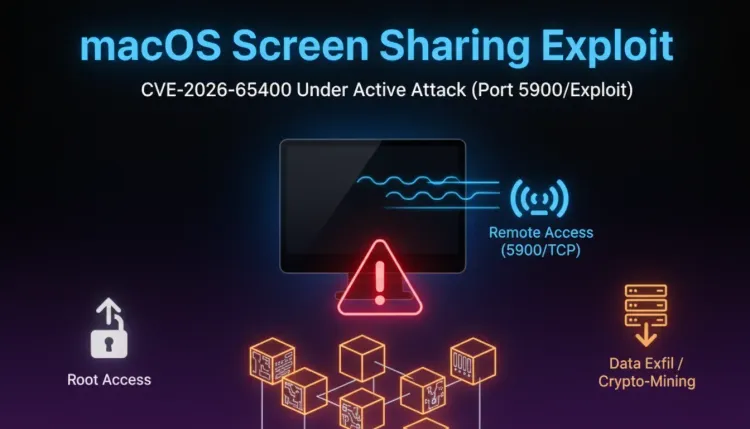
Threat actors are exploiting CVE-2026-65400, a recently patched macOS Screen Sharing authentication flaw, against systems where Screen Sharing is reachable from the internet. Public reporting from the Dutch National Cyber Security Centrum and security media says attackers have gained root access on vulnerable Macs and deployed Monero miners after exploitation.
The flaw affects macOS Screen Sharing, the built-in remote desktop service exposed over port 5900 when enabled. Apple patched the issue on August 6, 2026 in macOS Tahoe 26.6.1, macOS Sequoia 15.7.9, and macOS Sonoma 14.8.9. The operational risk is narrow but serious: Macs with Screen Sharing exposed to untrusted networks can move quickly from remote access exposure to root-level compromise and cryptomining payloads.
For defenders, this is not just a consumer Mac update story. It is a reminder that remote administration services on endpoints behave like externally reachable infrastructure when exposed directly to the internet. Organizations should patch affected macOS systems, disable Screen Sharing where it is not required, block internet access to port 5900, and hunt for signs of unauthorized Screen Sharing sessions and miner deployment.
What happened?
Apple fixed CVE-2026-65400 in early August 2026, describing the issue as an authentication problem in Screen Sharing addressed through improved state management. Soon after, the Netherlands NCSC warned that active abuse had been observed on multiple systems where port 5900 was reachable from the internet.
Public reporting says the observed attacks followed a consistent pattern: vulnerable Mac exposed, root access obtained, and a Monero miner installed. The available reporting does not provide full victim details, attacker attribution, or campaign scale, but it does confirm the vulnerability has moved beyond theoretical risk.
Screen Sharing is not enabled by default on every Mac, and the strongest exposure appears to be systems with the service reachable from outside trusted networks. That makes asset discovery and network exposure validation just as important as patch status.
Why this matters for defenders
1. Screen Sharing exposure changes endpoint risk
macOS Screen Sharing is often treated as an administrative convenience. When exposed to the internet, it becomes a remote access service. A flaw in that service can give attackers a direct path to interactive control, file access, and post-exploitation activity.
2. Root access raises the blast radius
The reports of root access matter because miners are rarely the only possible payload after privilege escalation. A cryptominer may be the observed monetization path, but the same access pattern can support credential theft, persistence, data staging, lateral movement, or follow-on malware.
3. Remote admin services need external exposure controls
The safe default is simple: no Screen Sharing, Remote Management, VNC, SSH, or similar administrative service should be reachable from the internet unless it sits behind strong access control, VPN, SSH tunneling, or equivalent restrictions. Exposed port 5900 should be treated as an urgent finding.
Who is exposed?
The highest-risk systems are Macs that meet all of these conditions:
- Screen Sharing or related remote desktop functionality is enabled
- port 5900 is reachable from the internet or another untrusted network
- the system has not been updated to the fixed macOS release
- security telemetry does not capture Screen Sharing login/session behavior or suspicious post-exploitation activity
This may include unmanaged Macs, lab systems, developer workstations, creative-production endpoints, remote-support systems, and forgotten machines in small office networks.
Recommended response
Patch supported macOS versions
Update affected systems to the patched release line: macOS Tahoe 26.6.1, macOS Sequoia 15.7.9, or macOS Sonoma 14.8.9. For managed fleets, verify installation and reboot status rather than assuming update policy completed successfully.
Disable Screen Sharing where it is not required
If a system does not need Screen Sharing, turn it off. For teams that require remote administration, restrict access to trusted networks and remove direct internet exposure.
Block or restrict port 5900
Review firewall, MDM, VPN, and perimeter rules for exposed VNC/Screen Sharing access. Internet-facing port 5900 should be treated as a priority remediation item.
Hunt for miners and root-level persistence
Look for suspicious CPU usage, Monero mining processes, outbound mining pool traffic, unknown LaunchDaemons, modified shell startup files, and unexpected root-owned files created around Screen Sharing session times.
Investigate exposed systems even after patching
If a Mac had port 5900 exposed before patching, patching alone does not prove it was never compromised. Review logs and endpoint telemetry for historical abuse.
Detection and investigation pointers
Security teams should look for:
- inbound connections to TCP/5900 from untrusted IP addresses
- Screen Sharing sessions from unusual sources or at unusual times
- sessions involving unexpected usernames, especially privileged accounts
- root-owned files created by remote-session-related processes
- LaunchDaemon creation near Screen Sharing activity
- miner binaries, suspicious shell scripts, or high CPU usage by unknown processes
- outbound connections to known or suspicious cryptocurrency mining pools
Example network hunt
index=network OR index=firewall
dest_port=5900
| stats count min(_time) as firstSeen max(_time) as lastSeen by src_ip, dest_ip, action, user
| sort - count
Example endpoint hunt
index=edr OR index=osquery OR index=sysmon
("screensharingd" OR "Screen Sharing" OR "LaunchDaemon" OR "monero" OR "xmrig" OR "minerd")
| stats count min(_time) as firstSeen max(_time) as lastSeen by host, user, process_name, command_line, parent_process
These are starting points only. Teams should tune around their MDM, EDR, macOS unified logging, and firewall telemetry.
Strategic takeaway
CVE-2026-65400 is a good example of why exposure management and vulnerability management have to meet. The vulnerable service is not necessarily active everywhere, but when it is exposed, attackers have a direct path to high-impact access. The difference between a routine Apple update and a real incident may be a single forgotten Screen Sharing service listening on the public internet.
For mature defenders, the lesson is broader than one CVE: remote administration paths should be continuously inventoried, externally restricted, and logged. If a management service is important enough to expose, it is important enough to protect like infrastructure.
References
FAQ
Yes. Public reporting says the Dutch NCSC observed active abuse on multiple systems where port 5900 was reachable from the internet, with attackers gaining root access and installing Monero miners.
Apple fixed the issue in macOS Tahoe 26.6.1, macOS Sequoia 15.7.9, and macOS Sonoma 14.8.9.
No. The highest-risk systems are Macs with Screen Sharing enabled, port 5900 reachable from untrusted networks, and the vulnerable macOS version still installed.
Patch affected Macs, disable Screen Sharing where it is not required, block internet access to port 5900, and hunt exposed systems for miners or root-level persistence.