ConnectWise Cloud Backup: Why Disabling the App Is Only the First Step

ConnectWise Cloud Backup: Why Disabling the App Is Only the First Step
ConnectWise is beginning a phased restoration of Cloud Backup, formerly SkyKick, after unauthorized access to application credentials exposed a dangerous trust path into Microsoft 365 tenants. The service interruption protects the vendor environment, but it does not automatically remove changes an attacker may already have made inside partner or customer tenants.
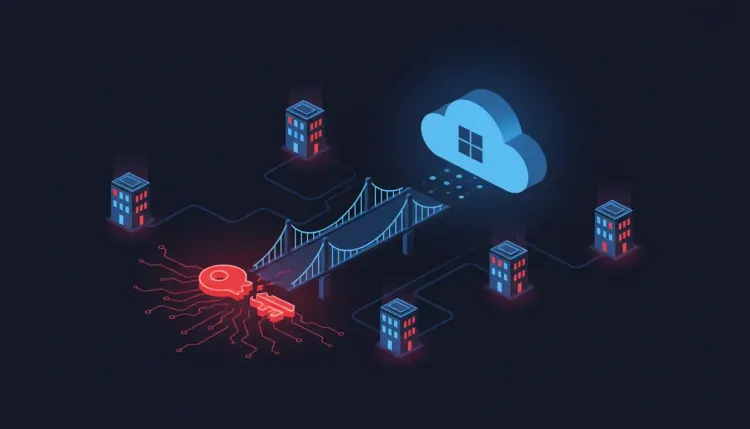
This is a software supply chain incident with an identity-centered blast radius. The compromised connection was trusted, highly privileged, and designed to move through many organizations. For managed service providers (MSPs), the correct question is not simply whether Cloud Backup is online again. It is whether every tenant connected to the service has been investigated and re-secured.
What happened
ConnectWise says it identified unauthorized access to application credentials associated with Cloud Backup and suspended Cloud Backup, SaaS Security, and Cloud Management while it investigated and reset credentials. On October 22, the company said phased restoration was underway, that restoration would take several days, and that affected connections should remain disabled until formal reconnection instructions are issued.
The company also says existing backup archives remain encrypted, isolated, and preserved, with no indication that those archives were compromised. That statement does not establish that live Microsoft 365 tenants were unaffected. Each partner and customer environment requires its own review.
Independent responders reported the operational impact. Huntress confirmed unauthorized sign-ins in 162 tenants by October 16. Reporting from October 20 said Huntress had observed sign-in activity from a related IP address in almost 1,000 Entra tenants, with more than 300 successful connections. The figures reflect observed telemetry, not a final count of compromised organizations.
The dangerous part was the trust relationship
Cloud backup software needs broad permissions so it can read and restore mail, files, Teams content, and directory data. Microsoft and incident responders said attackers abused permissions previously granted to the application, including highly elevated Microsoft Graph permissions.
In monitored cases, the activity was fast and scripted. Attackers reportedly used the application to grant themselves Global Administrator and plant new secrets on other applications. That changes the incident from a vendor-credential problem into a possible identity and access management persistence problem.
Revoking the original vendor credential can stop the first route in. It cannot undo a new role assignment, application secret, OAuth consent, mailbox rule, authentication-method change, or conditional-access modification created after access was gained.
What MSPs should do before reconnecting
Follow ConnectWise's current technical guide and preserve evidence before making changes. Review both the MSP's tenant and every managed customer tenant, including dormant or legacy SkyKick connections.
1. Keep affected connections disabled
Do not reconnect Cloud Backup, Cloud Management, or related application identities until ConnectWise provides formal, service-specific instructions. Treat a phased restoration as a controlled vendor process, not proof that a tenant is clean.
2. Review sign-ins and audit events
Search Microsoft Entra sign-in logs from at least October 13, and extend the window toward October 1 where retention allows. Include the IP indicators published by ConnectWise and Huntress, but do not rely on IP matching alone. Review application sign-ins, directory audit events, role assignments, service-principal activity, and unusual activity from hosting providers.
3. Hunt for persistence
Check for:
- newly assigned Global Administrator or other privileged roles;
- new secrets or certificates on existing applications;
- unfamiliar application registrations and OAuth grants;
- changed owners, credentials, or permissions on service principals;
- new mailbox forwarding rules, inbox rules, or suspicious consent;
- altered authentication methods, federation trusts, or Conditional Access policies;
- unexpected access to Exchange, OneDrive, SharePoint, and Teams data.
If a suspicious change is found, preserve the relevant audit records, disable the persistence mechanism, rotate exposed credentials, and investigate the account or application that made the change. Coordinate with the customer administrator when the MSP does not control the tenant directly.
4. Separate archive safety from tenant safety
Encrypted backup archives and live Microsoft 365 data are different trust boundaries. An assurance about stored archives does not answer whether an attacker read mail, accessed files, changed identities, or established a new route back into a tenant.
Why this matters beyond ConnectWise
The incident is a warning for every vendor integration with broad delegated access. Backup, security, RMM, identity, and productivity tools often become invisible infrastructure: once installed, their service principals can operate across many customer environments with little day-to-day scrutiny.
Organizations should maintain an inventory of third-party applications, document why each permission exists, monitor privileged service-principal behavior, and make revocation and reauthorization procedures part of incident-response planning. MSPs should also model the provider as both a target and a potential transit path into customers.
Bottom line
The immediate operational rule is simple: keep affected ConnectWise connections disabled until the vendor's formal instructions arrive, then reconnect only after tenant-level review. A service can be contained at the vendor while persistence remains active in customer identity systems.
For this incident response effort, the highest-value evidence is in Entra sign-ins, directory audit logs, application registrations, permissions, role assignments, credentials, and mailbox activity. The supply-chain lesson is equally practical: trust granted once must be continuously verified.
References
FAQ
ConnectWise is beginning a phased restoration of Cloud Backup, formerly SkyKick, after unauthorized access to application credentials exposed a dangerous trust path into Microsoft 365 tenants. The service interruption protects the vendor environment, but it does not automatically remove changes an attacker may already have made inside partner or customer tenants.
The incident is a warning for every vendor integration with broad delegated access. Backup, security, RMM, identity, and productivity tools often become invisible infrastructure: once installed, their service principals can operate across many customer environments with little day-to-day scrutiny.