Bitwarden CLI npm compromise exposes CI/CD credential risk

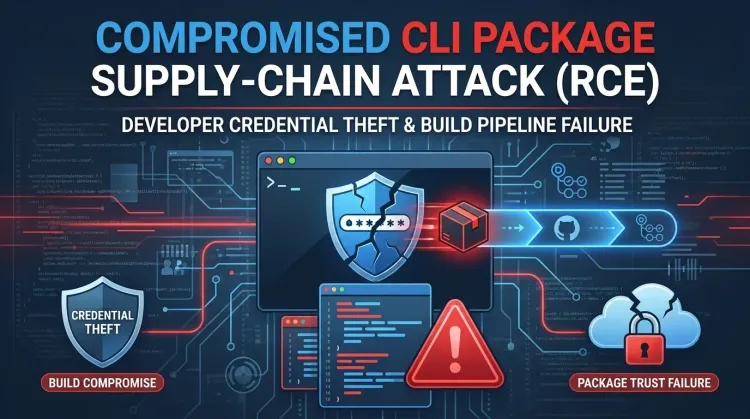
Bitwarden CLI npm compromise exposes CI/CD credential risk
A brief compromise of the Bitwarden CLI npm distribution is still a high-priority defender story because the malicious release targeted the systems that publish software, hold cloud credentials, and bridge code into production. Public reporting and vendor statements indicate that the affected package was @bitwarden/cli 2026.4.0, available for a limited window on April 22, and tied to the broader Checkmarx-related supply-chain campaign.
That makes this more than a takedown notice. If the malicious package ran in a developer workstation or CI runner, responders should treat it as a potential credential exposure and incident response event spanning GitHub, npm, SSH, and cloud environments.
What happened
Bitwarden says the incident affected only the npm distribution mechanism for the CLI during a limited time window, not its production systems or end-user vault data. According to BleepingComputer, the malicious npm package remained available roughly between 5:57 PM and 7:30 PM ET on April 22 before removal and deprecation.
Research from Socket and JFrog adds the technical detail that makes the event important for defenders. Instead of shipping the expected Bitwarden CLI execution path, the malicious package rewired the preinstall script and the bw binary entrypoint to a custom loader, bw_setup.js. That loader downloaded the Bun runtime when needed and then launched an obfuscated payload, bw1.js, built to steal secrets from local systems and build environments.
The overlap with the Checkmarx incident is not superficial. Researchers reported the same audit.checkmarx[.]cx/v1/telemetry infrastructure, similar obfuscation patterns, GitHub-based fallback exfiltration, and the same general expansion logic seen in earlier TeamPCP-linked developer ecosystem attacks.
Why this matters more than a short-lived npm incident
The affected artifact was a CLI package used by developers and automation flows, which means the likely blast radius sits in high-trust paths:
- local developer shells and configuration files
- CI/CD jobs and release runners
- GitHub tokens and repository permissions
- npm publishing credentials
- AWS, Azure, and GCP secrets near build pipelines
That is the real risk story. A poisoned package in a developer tool chain can turn one install into wider lateral movement, unauthorized package publishing, and follow-on abuse across internal and customer-facing software delivery paths.
What the malware targeted
Public analysis shows the payload was not built for a narrow smash-and-grab. It harvested a wide developer-centric secret set, including:
- GitHub authentication tokens
- npm tokens
- SSH keys and related material
- shell history and environment variables
- AWS credentials
- Azure and GCP credentials
- GitHub Actions runner secrets
- AI and local automation configuration files
Socket reported that the malware could also create public GitHub repositories under a victim account and use them to store encrypted exfiltrated data. JFrog described the same dual-channel design: direct HTTPS POSTs to the Checkmarx-themed telemetry endpoint, with GitHub-based fallback behavior if the primary path failed.
The practical defender angle
The strongest lesson here is not about Bitwarden as a brand. It is about software trust boundaries. Once a developer-facing package can run a hostile preinstall path, every adjacent system that trusts that workstation or runner becomes relevant: source control, artifact registries, package publishing, cloud build secrets, and release automation.
That is why this should be handled as a software supply-chain compromise with potential downstream credential reuse, not as a simple package rollback.
What defenders should do now
1. Identify any installation or execution of @bitwarden/cli 2026.4.0
Start with developer systems, shared CI runners, container builds, ephemeral pipelines, and any automation that installs the CLI dynamically during jobs. A short exposure window does not make the risk trivial if the package executed in a privileged environment.
2. Rotate secrets touched by those environments
At minimum, review and rotate GitHub tokens, npm publishing tokens, SSH keys, cloud credentials, and any secrets accessible to the affected runner or workstation. If the package executed in CI, assume the compromise may extend beyond the user who triggered the job.
3. Hunt for the reported indicators
Research from Socket and JFrog points defenders toward:
audit.checkmarx[.]cx/v1/telemetry94.154.172.43- unexpected Bun runtime downloads
- files such as
bw_setup.jsandbw1.js - suspicious public GitHub repositories with Dune-themed naming or the string
Shai-Hulud: The Third Coming - shell profile modifications and credential file access anomalies
4. Review GitHub Actions and package publishing history
Check for unplanned workflow changes, unauthorized branches, unexpected artifact generation, secret access, and npm publish activity outside normal release timing. A developer tooling compromise often leaves evidence in automation metadata even when endpoint visibility is incomplete.
5. Reduce future blast radius
Harden package install policies, minimize token scope, prefer short-lived credentials, lock down who can publish packages, and review whether critical build jobs allow arbitrary install scripts when they do not need to.
Strategic takeaway
The Bitwarden CLI incident reinforces a pattern defenders should take seriously: attackers keep moving toward developer workflows because that is where credentials, automation, and trusted distribution paths meet. A compromised CLI package can become an efficient bridge from one workstation or runner into broader enterprise risk.
The right question is not only whether your teams use Bitwarden CLI. It is whether any build or developer workflow can install third-party or vendor packages with enough privilege to turn a single malicious release into a wider access control failure.
References
FAQ
Bitwarden says it found no evidence that end-user vault data, production data, or production systems were compromised. The incident was limited to the npm distribution mechanism for the CLI during a short window.
Public reporting and researcher analysis point to @bitwarden/cli version 2026.4.0 as the malicious npm release.
Because developer tools and CI runners often hold high-value secrets. Even a short-lived malicious package can steal credentials and create downstream supply-chain risk if it executes once in a trusted environment.
Find every environment where the affected package may have run, rotate exposed secrets, and review GitHub, npm, and cloud activity around those systems.
How to cite
Lucas Oliveira. Bitwarden CLI npm compromise exposes CI/CD credential risk. 17 Aug 2026. Invaders Cybersecurity. https://invaders.ie/resources/blog/supply-chain-security/bitwarden-cli-npm-compromise-cicd-credential-risk.
Subscribe via RSS.
Written by
Lucas Oliveira
Research
A DevOps engineer and cybersecurity enthusiast with a passion for uncovering the latest in zero-day exploits, automation, and emerging tech. I write to share real-world insights from the trenches of IT and security, aiming to make complex topics more accessible and actionable. Whether I’m building tools, tracking threat actors, or experimenting with AI workflows, I’m always exploring new ways to stay one step ahead in today’s fast-moving digital landscape.
Hot TopicsLast 7 days
Categories
Stay Updated
Get the latest cybersecurity insights delivered to your inbox.