AI-Assisted Search Poisoning Fuels ScreenConnect Cryptojacking

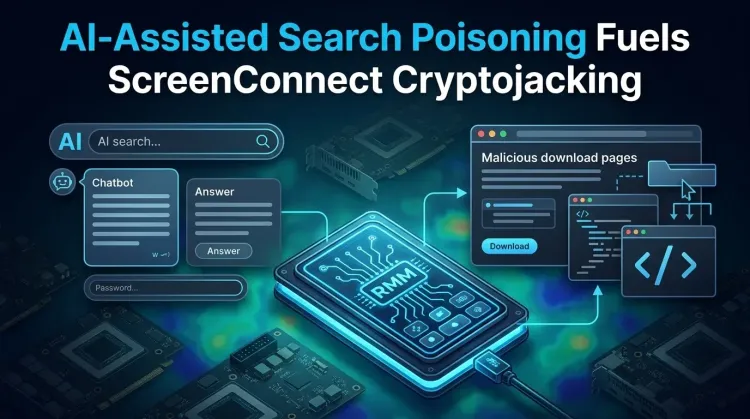
AI-Assisted Search Poisoning Fuels ScreenConnect Cryptojacking
Executive Summary
Microsoft disclosed an active campaign on May 26, 2026 in which attackers push victims toward fake downloads of popular Windows utilities through both classic search-engine poisoning and some observed AI chatbot referral paths. The end goal is not generic adware or a one-shot dropper. It is a targeted cryptojacking operation built to reach systems with high-value GPUs, install a persistent remote-access foothold through abused ScreenConnect software, and keep mining only when the host appears idle enough to avoid user suspicion.
The campaign stands out for three reasons. First, it deliberately imitates trusted software that appeals to PC enthusiasts and power users, including CrystalDiskInfo, HWMonitor, FurMark, Display Driver Uninstaller, K-Lite Codec Pack, and PDFgear. Second, the malware chain uses DLL sideloading, signed Microsoft .NET binaries, scheduled tasks, Run keys, and repeated Defender exclusions to stay resident and low-noise. Third, the ScreenConnect foothold means the same infection path can support more than mining: Microsoft explicitly warns it can also support data theft, lateral movement, or ransomware operations.
For defenders, the right takeaway is simple: stop treating fake software-download campaigns as low-grade commodity crime. This one behaves like a monetized intrusion pipeline that begins with social engineering and ends with durable post-compromise control.
What happened
According to Microsoft, users searching for common system utilities were redirected to attacker-controlled lookalike sites through manipulated search results. In some cases observed by Microsoft, users also reached those same malicious domains after asking AI chatbots for software download recommendations. Microsoft says VirusTotal traffic metadata and correlated observations supported that referral pattern, although it did not attribute the behavior to any one AI service.
Once the victim clicks a fake download button, the site serves a ZIP archive from campaign-controlled infrastructure. The archive contains the legitimate utility executable plus a malicious autorun.dll. When the user launches the program, the executable loads the attacker DLL from the same folder. That DLL sideloading step silently installs another disguised payload, vcredist_x64.dll, which acts as a packaged installer for ScreenConnect.
At that point, the operator has more than a miner. ScreenConnect gives the attacker a remote foothold through a legitimate remote-management tool, which Microsoft says was used to transfer the next-stage binary SimpleRunPE.exe. From there, the malware copies itself into a hidden directory, sets up persistence across scheduled tasks, registry Run keys, and a Startup shortcut, and begins preparing for mining and long-term control.
Why this campaign is different
Most cryptomining malware still operates on a volume model: compromise as many devices as possible and extract modest value from each one. Microsoft’s assessment here is different. The actor appears to be choosing software lures that naturally attract users with discrete GPUs and high-performance systems. That makes the economics of compromise better from the attacker’s perspective before the payload even runs.
The campaign is also built to avoid user friction. Microsoft observed the malware stopping mining when GPU usage is already high or the user is active, then restarting later when the system appears idle. That is operationally significant because it reduces the chance that a victim notices sudden lag, fan noise, or thermal spikes at the wrong moment.
Most importantly, the campaign should not be framed as “just mining.” Microsoft says the ScreenConnect foothold could later support command-and-control operations, data theft, lateral movement, or ransomware. In other words, the miner is only one monetization layer inside a broader remote-access playbook.
Attack chain overview
1. Initial access via poisoned discovery paths
- Attackers impersonate trusted utility brands on fake websites.
- Victims arrive through manipulated search results and, in some observed cases, through AI chatbot-generated links.
- The sites are designed to look like normal software-download pages instead of overt malware lures.
2. DLL sideloading for quiet execution
- The downloaded ZIP contains a legitimate executable plus a malicious
autorun.dll. - Launching the executable triggers DLL sideloading with no exploit required and little visible disruption.
- The sideloaded DLL silently installs a second disguised payload using
msiexec.exe.
3. ScreenConnect installation for persistence and operator access
- The disguised payload installs ScreenConnect, a legitimate remote-management product.
- Microsoft says the operator then uses the ScreenConnect session to deliver the next-stage malware or PowerShell-based alternatives.
- This is the point where the intrusion moves from “malicious download” to hands-on remote access.
4. Stealth, hollowing, and mining
- The payload persists through scheduled tasks, Run keys, and a Startup shortcut.
- It hollows into trusted Microsoft-signed .NET binaries such as
InstallUtil.exe,MSBuild.exe, andRegAsm.exe. - It adds Microsoft Defender exclusions, performs anti-analysis checks, fingerprints host hardware, then fetches a GPU miner at runtime.
Detection opportunities defenders should prioritize
This campaign creates multiple detection points that become much stronger when correlated:
- New ScreenConnect installation activity on endpoints that are not expected to run remote-management tooling.
- Suspicious ZIP downloads for well-known utility names from low-reputation domains.
- A legitimate utility executable loading
autorun.dllfrom its local folder. msiexec.exequietly installing a fake Visual C++-named payload.- Scheduled tasks or Run keys pointing to hidden directories under user profile paths.
- Process hollowing into Microsoft-signed .NET binaries such as
InstallUtil.exe,RegAsm.exe,RegSvcs.exe,MSBuild.exe,AppLaunch.exe,AddInProcess.exe, oraspnet_compiler.exe. - Repeated
Add-MpPreferenceinvocations that add path or process exclusions for mining components. - Outbound connections to suspicious WebSocket or Dynamic DNS-backed infrastructure associated with the campaign.
If you have endpoint detection and response telemetry, combine those signals rather than triaging them separately. A fake utility download plus ScreenConnect plus .NET hollowing is not normal admin activity.
Immediate response actions
Contain now
- Block the malicious domains and closely related lookalikes identified through threat-intel enrichment.
- Investigate any unapproved ScreenConnect deployment on workstations and high-GPU endpoints.
- Hunt for the hidden install path,
RuntimeHost.exe,SimpleRunPE.exe, and newly created scheduled tasks tied to “Windows System Health” naming patterns described by Microsoft. - Review Defender exclusions pushed through PowerShell and remove any that were not intentionally approved.
- Isolate endpoints that show the combined pattern of fake utility download, ScreenConnect session creation, and .NET process hollowing.
Harden next
- Enable cloud-delivered protection and network/web protection controls where available.
- Turn on Microsoft Attack Surface Reduction rules that block low-prevalence or untrusted executables.
- Restrict use of remote-management tools on endpoints that do not require them.
- Apply URL filtering and browser protections that reduce exposure to malicious download pages.
- Brief users that AI-generated software recommendations should be treated with the same caution as ordinary search results.
Strategic analysis
The larger lesson is that “search poisoning” is no longer confined to web search rankings. Microsoft’s reporting suggests attackers are experimenting with discovery-layer abuse across the broader ecosystem of recommendation engines, including AI chat interfaces. Even if those referrals are still a limited or opportunistic component, they materially expand where defenders need to think about download trust.
There is also a shift in monetization quality here. The actor is not chasing the widest possible infection base; it is steering toward hosts likely to contain more profitable GPU hardware, preserving the implant with multiple persistence methods, and keeping a remote-access channel alive for follow-on action. That is a better fit for a professional intrusion operator than for a noisy commodity miner crew.
Security teams should therefore classify this campaign as a threat-intelligence and incident response problem, not just a malware-cleanup problem. If a host shows evidence of this chain, assume there may have been interactive operator activity and investigate accordingly.
References
FAQ
Microsoft reported an active campaign that uses poisoned search results and some observed AI chatbot referrals to push fake downloads of trusted Windows utilities, then installs ScreenConnect and launches GPU-focused cryptojacking malware.
Because it turns the infection from a simple malware execution event into a persistent remote-access foothold. Microsoft says that foothold could support later data theft, lateral movement, or ransomware.
No. Mining is the visible monetization path, but the operator also gains durable access and host telemetry that can support broader attacker objectives.
Users and organizations whose endpoints download enthusiast-oriented utilities from search results without reputation controls, especially systems with discrete GPUs and unmanaged or weakly monitored endpoint tooling.
Hunt for unapproved ScreenConnect installs, suspicious utility ZIP downloads, .NET process hollowing, Defender exclusion abuse, and the persistence patterns Microsoft documented.