NetamLoader Targets Government Windows: The Update Folder Is Now a Hunting Surface

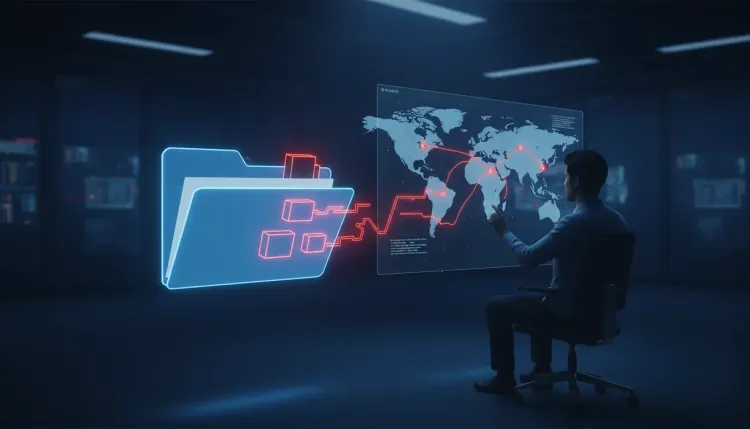
NetamLoader Targets Government Windows: The Update Folder Is Now a Hunting Surface
Kaspersky’s discovery of NetamLoader shows how a highly tailored intrusion can hide inside the maintenance machinery that defenders usually trust.
What happened
Kaspersky’s Global Research and Analysis Team reported on October 29 that it found a previously unknown malware framework targeting a customized version of Windows 10 used exclusively by government organizations in an Asian country. The investigation identified one infected system during the first half of 2026. The country, agency, and number of affected systems remain unknown.
NetamLoader was discovered in an archive stored in a Windows update directory. The package included legitimate components from Microsoft and the third-party Patch My PC management tool, alongside modified supporting files. Kaspersky did not find evidence that Patch My PC or its distribution infrastructure had been compromised, and researchers could not establish how the archive reached the victim.
That distinction matters: the location suggests a possible supply-chain attack, but the evidence does not prove that the update provider itself was breached.
Why the malware is difficult to spot
The attackers appear to have designed the framework for the target’s exact operating environment. NetamLoader uses legitimate software components to load malicious instructions, moves execution into a trusted Windows process, and interferes with anti-malware scanning. It also removes files and records that could help reconstruct the intrusion.
Its network behavior is deliberately sparse. The configuration analyzed by Kaspersky delays the first connection by 20 to 40 minutes. If the command server does not return a valid response, the malware can wait another 22 to 28 hours before trying again. A short endpoint or network review can therefore miss the activity entirely.
The framework can collect host information, receive additional code, and communicate with attacker-controlled infrastructure over encrypted connections. This is classic command and control behavior, but wrapped in trusted binaries, long sleep intervals, and selective cleanup.
The detection lesson
The strongest signal is not a single suspicious executable. It is the relationship between otherwise legitimate actions:
- A signed program loads code through an unexpected or modified configuration file.
- A Windows process reaches an unfamiliar external server after a long idle period.
- Files appear in update-download locations outside a normal maintenance window.
- Anti-malware scanning settings or telemetry are altered.
- Update-component logs, .NET usage records, or local cache files suddenly disappear.
These signals should be correlated across endpoint, network, and centralized logging systems. Local evidence is not enough when the malware is designed to erase it. Send update-directory activity, process creation, module loading, outbound connections, and security-control changes to a separate log platform where an attacker on the endpoint cannot rewrite the history.
What defenders should do now
Security teams operating customized Windows images or government-specific update workflows should audit the full maintenance chain, not just the vendor signature:
- Inventory every update directory and flag unexpected archives, executables, configuration files, and recently modified timestamps.
- Verify package provenance and cryptographic integrity before deployment; treat a valid Microsoft signature as one data point, not proof that the complete execution chain is safe.
- Restrict third-party patch-management tools to approved paths and expected parent processes.
- Hunt for signed binaries loading unusual libraries or configuration files, especially when the resulting process makes infrequent encrypted connections.
- Compare endpoint telemetry with centrally stored logs to identify deleted records or gaps around update activity.
- Isolate and preserve suspicious hosts before cleanup, then rotate credentials and review lateral movement if additional code was downloaded.
The broader risk
Customized operating systems can improve sovereignty and control, but they also create a specialized ecosystem that attackers may study more deeply than commodity security tools do. The more unique the platform, the more important it becomes to test its update paths, logging coverage, and recovery process as a complete system.
NetamLoader is a reminder that “signed,” “updated,” and “managed” are not security verdicts. Defenders need to ask what each trusted component loaded, which configuration changed its behavior, where it connected, and whether the evidence survived. That is the difference between checking software and hunting an intrusion.
References
FAQ
Kaspersky’s discovery of NetamLoader shows how a highly tailored intrusion can hide inside the maintenance machinery that defenders usually trust.
Security teams operating customized Windows images or government-specific update workflows should audit the full maintenance chain, not just the vendor signature: