GIGABYTE Control Center flaw turns a convenience utility into a remote compromise path

GIGABYTE Control Center flaw turns a convenience utility into a remote compromise path
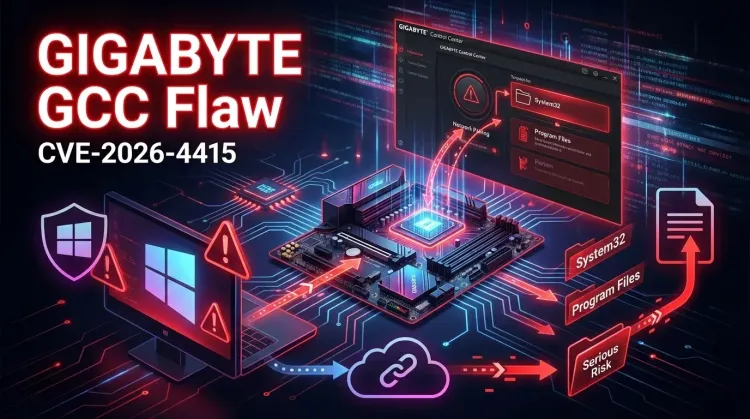
Security teams often focus on browsers, VPNs, and internet-facing servers while OEM support utilities sit quietly outside normal risk discussions. CVE-2026-4415 is a good reminder that this is a mistake. The bug affects GIGABYTE Control Center, a Windows utility used for hardware monitoring, firmware and driver updates, and device management. According to TWCERT/CC, if the product's pairing feature is enabled, an unauthenticated remote attacker can write arbitrary files to the underlying operating system.
That immediately shifts the story from “annoying local utility bug” to a real exposure-management problem. An arbitrary file-write path in a network-reachable service can become a bridge to remote code execution, privilege escalation, or broader host compromise depending on where files can be placed and how the target system is configured.
What the advisory says
TWCERT/CC says the issue affects GIGABYTE Control Center 25.07.21.01 and earlier and is tracked as CVE-2026-4415. The advisory states that when the pairing feature is enabled, unauthenticated remote attackers can write arbitrary files to any location on the operating system, potentially leading to code execution or privilege escalation.
Public reporting from BleepingComputer adds useful context for defenders: GIGABYTE Control Center ships as an all-in-one management utility across the vendor's laptops and motherboards, which means the exposure may exist on systems that security teams do not normally classify as business-critical server assets. In practice, that can still include developer workstations, engineering endpoints, lab systems, and privileged admin devices.
The documented fix path is straightforward: upgrade to version 25.12.10.01 or later.
Why this matters more than it looks
Software like GIGABYTE Control Center is easy to underestimate because it is usually framed as a convenience layer for tuning, RGB, performance profiles, and updates. But that framing hides an important reality: utilities that can update software, manage hardware settings, communicate over the network, and run with elevated privileges are part of the enterprise attack surface.
That matters even more when a vulnerable feature is optional and easy to forget about. Many organizations do not maintain a clean inventory of OEM utilities or know which “helper” applications expose network services on managed Windows endpoints. A flaw like this creates risk in exactly that blind spot.
Exposure questions defenders should answer now
This is not just a patch-management item. It is also an inventory and scoping exercise. Teams should answer four practical questions:
- Do any managed Windows devices run GIGABYTE Control Center?
- Which versions are present?
- Is the pairing feature enabled anywhere?
- Are any of those devices reachable from untrusted network segments?
If the answer to the last two questions is yes, the urgency rises fast. Even if the affected systems are not internet-facing, exposure to shared office, lab, guest, or development networks may still create a meaningful path for lateral attacker activity.
Immediate defensive actions
🔴 Upgrade affected systems now
- Identify systems running GIGABYTE Control Center 25.07.21.01 or earlier.
- Upgrade them to 25.12.10.01 or later.
- Prioritize devices used by administrators, developers, security engineers, and anyone with access to sensitive internal systems.
🔴 Disable unnecessary pairing functionality
- If the pairing feature is not operationally required, disable it.
- Reducing exposed features is often the fastest way to shrink risk while rollout work is still in progress.
🟠 Scope the real endpoint risk
- Check whether affected devices sit in trusted admin VLANs, engineering networks, or other sensitive zones.
- Review whether those endpoints store credentials, SSH keys, cloud tokens, or VPN material that would increase post-compromise impact.
🟠 Review segmentation and host controls
- Restrict unnecessary east-west access with network segmentation.
- Tighten local and network firewall policy around management utilities that do not need broad inbound access.
- Treat OEM support tools as managed software, not harmless bundled extras.
🟠 Be ready for follow-up triage
- If vulnerable systems were exposed for any meaningful period, include them in incident response review.
- Preserve logs where possible and look for suspicious file writes, unexpected service behavior, or unexplained local privilege changes.
Strategic takeaway
CVE-2026-4415 is a useful lesson in modern endpoint defense: the software that blends into the background is often exactly the software defenders forget to model. Hardware utilities, auto-updaters, RGB suites, and OEM control panels may not look like obvious security priorities, but they often run with broad privileges and touch network, file, and update mechanisms that attackers would love to abuse.
For defenders, the practical response is simple: inventory the tool, patch it quickly, disable optional network features you do not need, and treat preinstalled vendor utilities as part of the security boundary rather than as invisible convenience software.
References
FAQ
CVE-2026-4415 is an arbitrary file-write vulnerability in GIGABYTE Control Center. TWCERT/CC says that when the pairing feature is enabled, unauthenticated remote attackers can write files to the underlying operating system, creating a path to code execution or privilege escalation.
Public reporting and the TWCERT/CC advisory indicate that GIGABYTE Control Center 25.07.21.01 and earlier are affected.
The currently documented fix is GIGABYTE Control Center 25.12.10.01 or later.
Because tools like this often run with significant local privileges, can touch update paths and device settings, and may expose features over the network. That makes them part of the endpoint security boundary even if they are not traditional enterprise software.
How to cite
Lucas Oliveira. GIGABYTE Control Center flaw turns a convenience utility into a remote compromise path. 17 Aug 2026. Invaders Cybersecurity. https://invaders.ie/resources/blog/vulnerability/gigabyte-control-center-cve-2026-4415-remote-compromise-path.
Subscribe via RSS.
Written by
Lucas Oliveira
Research
A DevOps engineer and cybersecurity enthusiast with a passion for uncovering the latest in zero-day exploits, automation, and emerging tech. I write to share real-world insights from the trenches of IT and security, aiming to make complex topics more accessible and actionable. Whether I’m building tools, tracking threat actors, or experimenting with AI workflows, I’m always exploring new ways to stay one step ahead in today’s fast-moving digital landscape.
Hot TopicsLast 7 days
Categories
Stay Updated
Get the latest cybersecurity insights delivered to your inbox.