Chrome Extension Supply-Chain Attack: ShotBird and QuickLens

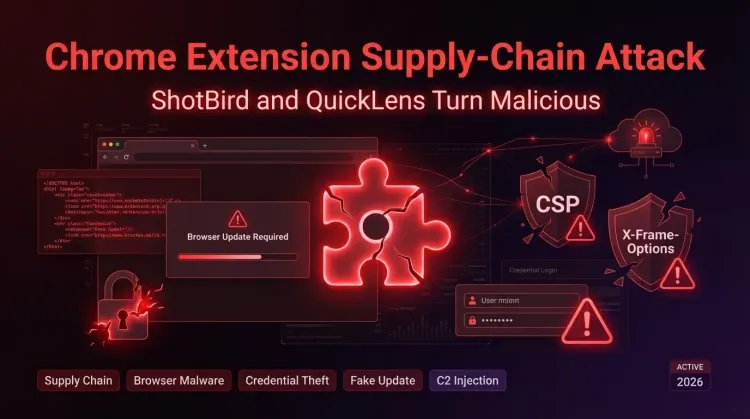
Chrome Extension Supply-Chain Attack: ShotBird and QuickLens | 2026
Executive Summary
ShotBird and QuickLens, two Chrome extensions that were previously legitimate and carried trust signals such as Chrome Web Store visibility and, in some cases, a Featured badge, were reported as malicious in February–March 2026 after ownership changes introduced weaponized updates. Public reporting and researcher analysis indicate the two extensions exposed roughly 7,800 users combined — about 7,000 QuickLens users and 800 ShotBird users — to browser-level code injection, security-header stripping, fake Chrome update lures, form-data theft, and, in ShotBird’s case, a likely pivot to host-level malware execution. For defenders, this is a clear browser extension supply-chain attack: a trusted add-on became an attacker-controlled channel after a sale or ownership transfer. Security teams should review extension inventories, permission changes, and recent trust assumptions around Chrome extensions now.
What happened?
- October 2025: QuickLens was published to the Chrome Web Store and reportedly listed for sale shortly afterward.
- December 2025–February 2026: ownership and developer-contact changes were observed on records tied to the affected extensions.
- February 1, 2026: public reporting indicates QuickLens ownership changed to an unverified entity.
- February 17, 2026: QuickLens version 5.8 reportedly introduced command-and-control functionality, new permissions, and browser security-header stripping.
- March 8, 2026: monxresearch-sec published a detailed report on ShotBird, describing callback-delivered tasks, fake update lures, data capture, and a broader malware chain.
- March 9–10, 2026: broader reporting connected ShotBird and QuickLens as part of the same extension supply-chain pattern.
- Reported but unconfirmed: the same operator or operator set may be behind both compromises, based on similar infrastructure patterns, ownership-transfer behavior, and fake update lures. Attribution remains unconfirmed.
Who is affected?
The most directly affected users are those who had either extension installed and accepted subsequent updates or permission changes.
Known exposure
- QuickLens — approximately 7,000 users
- ShotBird — approximately 800 users
Likely affected environments
- Individual Chrome users who trusted the extension’s previous reputation
- Enterprise users with permissive browser-extension policies
- Organizations without extension allowlisting or ownership-change monitoring
- Users entering credentials, payment data, tokens, or other sensitive fields in the browser while the extension was active
Exposure paths
- Routine extension updates after ownership transfer
- Permission prompts accepted without review
- Runtime delivery of malicious JavaScript from attacker-controlled infrastructure
- Fake Chrome update prompts used to pivot from browser compromise to endpoint compromise
If organizations do not maintain extension telemetry, actual exposure may be broader than currently confirmed.
Initial access & kill chain (MITRE-friendly)
The key lesson is that the initial access vector was not phishing or an internet-facing vulnerability. It was the extension update channel itself.
Observed kill chain
- Initial access / trust inheritance
Attackers appear to acquire or control an existing legitimate Chrome extension. - Malicious update delivery
The extension pushes a new version to existing users through the normal Chrome extension update process. - Permission expansion / browser weakening
New permissions and declarative rules strip headers such as CSP and X-Frame-Options. - Runtime payload retrieval
The extension polls attacker-controlled infrastructure and retrieves JavaScript at runtime. - Execution in page context
Payloads are executed inside visited pages through callback-delivered scripts or pixel/onload-style injection tricks. - Collection and exfiltration
Form data, browsing data, and sensitive user input are captured. - Actions on objectives
In ShotBird, users were shown fake Chrome update flows that could lead to PowerShell execution and host-level malware staging.
Example MITRE ATT&CK mapping
| Phase | Observed behavior | ATT&CK theme |
|---|---|---|
| Initial Access | Compromised extension trust chain | Supply chain compromise |
| Execution | Runtime JavaScript injection in browser context | User execution / script execution |
| Defense Evasion | CSP and security-header stripping | Impair defenses |
| Command & Control | Polling remote infrastructure for tasks | Web-based C2 |
| Collection | Form capture, browser-data collection | Credential access / collection |
| Exfiltration | POST of captured data to remote endpoints | Exfiltration over web services |
| Follow-on | Fake update lure leading to malware execution | User execution / malware staging |
Indicators and detection
EDR
- Look for execution chains involving fake Chrome update artifacts such as
googleupdate.exe - Hunt for PowerShell spawned after suspicious browser interaction
- Review script-block logging for encoded or remotely fetched PowerShell
- Investigate processes writing to Chromium credential stores or browser profile directories
Identity / SSO
- Monitor for stolen-session indicators after suspected extension exposure
- Hunt for unusual MFA prompts, OAuth token reuse, or impossible-travel patterns after browser compromise windows
Network / proxy / DNS
- Review outbound traffic for suspicious extension-related domains referenced in public reporting, including attacker-controlled API and lure infrastructure
- Inspect connections from browsers to newly observed domains shortly after extension updates
- Flag repeated polling behavior from browser-extension contexts
Example detection pattern (Splunk SPL — example pattern)
index=proxy OR index=dns
("api.extensionanalyticspro.top" OR "api.getextensionanalytics.top" OR "ggl.lat" OR "orangewater00.com")
| stats count by src_user, src_ip, dest_domain, user_agent
Additional things to hunt
- New extension permissions involving
declarativeNetRequestWithHostAccess,webRequest, or broad host access - Storage artifacts containing remotely fetched script payloads
- Browser crashes, anomalous console logs, or repeated injected update prompts across unrelated sites
Containment & remediation checklist
🔴 Immediate containment (0–24h)
- Identify all endpoints with QuickLens or ShotBird installed
- Remove the extensions from affected browsers immediately
- Force browser restart after removal
- Reset passwords for users who entered credentials while the extension was active
- Revoke active sessions and refresh tokens for impacted users
- Hunt for downloaded fake update binaries such as
googleupdate.exe - Review PowerShell 4104 logs and EDR alerts for suspicious script execution
- Quarantine endpoints with evidence of host-level execution
- Block known malicious domains and C2 infrastructure at DNS/proxy layers
- Notify users not to follow any Chrome update prompts rendered inside web content
🟠 Hardening (24–72h)
- Review recent extension permission changes across the fleet
- Enforce extension allowlisting in managed browsers
- Block installation of unapproved Chrome extensions
- Review extension ownership changes and developer-contact changes for trusted add-ons
- Validate whether browser profile data may have been accessed or exfiltrated
- Check for signs of credential replay against SSO, VPN, and cloud apps
- Add detections for unusual browser-to-PowerShell execution chains
- Monitor web requests to newly registered or low-reputation extension-related domains
- Review incident timelines for overlap with suspicious user reports or access anomalies
- Escalate to full IR if endpoint compromise is confirmed
🟡 Longer-term controls (1–4 weeks)
- Treat browser extensions as part of the software supply chain in risk reviews
- Build a baseline inventory of allowed extensions, versions, publishers, and permissions
- Require security review before approving extension ownership changes or major permission expansions
- Add browser-extension monitoring to endpoint detection programs
- Train users to distrust browser-rendered update prompts embedded inside normal websites
- Centralize browser telemetry where feasible for enterprise detections
- Review data-loss risk for credentials, card data, and regulated identifiers entered through browsers
- Add extension-related IOCs to threat-intelligence ingestion pipelines
- Test browser isolation or higher-risk user segmentation for sensitive roles
- Revisit trust assumptions around “Featured” or marketplace-reviewed browser add-ons
Strategic analysis (what this signals)
This incident matters because browser extensions have become a software supply-chain blind spot. The extensions did not begin as obvious malware. They inherited trust from prior functionality, store presence, and, in some cases, platform endorsement signals. Once ownership changed, that trust became an attacker asset.
The QuickLens and ShotBird cases also show why extension risk cannot be assessed through static package review alone. Researchers reported that malicious logic was delivered dynamically from command-and-control infrastructure and only existed at runtime. That weakens traditional store-review assumptions and shifts detection toward behavioral monitoring.
There is a second lesson as well: browser compromise is increasingly being used as a bridge to deeper compromise. ShotBird reportedly moved from data capture and fake UI injection to a likely host-level malware chain, which means defenders should stop treating extension abuse as low-grade nuisanceware. In enterprise environments, it should be handled as a genuine intrusion path.
References
- monxresearch-sec, “From a Sophisticated Browser-Extension Supply-Chain Compromise to a VibeCoded Twist: A Chrome Extension as the Initial Access Vector for a Broader Malware Chain,” March 8, 2026.
- The Hacker News, “Chrome Extension Turns Malicious After Ownership Transfer, Enabling Code Injection and Data Theft,” March 2026.
- Annex Security, “Pixel Perfect: Sold Extension Injects Code Through Pixel.”
- Cyber Security News, “Pixel Perfect Extension Abuse Enables Covert Script Injection and Security Header Removal,” March 2026.
- Public reporting referenced in researcher timelines regarding QuickLens and ShotBird ownership changes and Chrome Web Store listing history.
FAQ
Two previously legitimate Chrome extensions, QuickLens and ShotBird, were reported as malicious after ownership changes introduced code injection, data theft, and fake update behavior.
Users who had either extension installed and accepted updates or new permissions are the most likely to be affected.
Check whether the extensions were installed, review recent extension update history, inspect for unusual permission prompts, and investigate suspicious browser prompts, credential misuse, or malware execution.
Remove the extensions, reset potentially exposed credentials, revoke sessions, and investigate affected endpoints for browser-to-PowerShell or fake update execution.
Public reporting suggests at least one affected extension listing became unavailable after disclosure, but organizations should assume residual risk remains for already impacted users and endpoints.
Because the attacker appears to have gained control of a legitimate extension and weaponized the existing install base through the normal update channel.
They inherit user trust, can access browser content broadly, request new permissions over time, and execute logic on every page a victim visits.
How to cite
Lucas Oliveira. Chrome Extension Supply-Chain Attack: ShotBird and QuickLens. 17 Aug 2026. Invaders Cybersecurity. https://invaders.ie/resources/blog/supply-chain-attack/chrome-extension-supply-chain-attack-shotbird-and-quicklens.
Subscribe via RSS.
Written by
Lucas Oliveira
Research
A DevOps engineer and cybersecurity enthusiast with a passion for uncovering the latest in zero-day exploits, automation, and emerging tech. I write to share real-world insights from the trenches of IT and security, aiming to make complex topics more accessible and actionable. Whether I’m building tools, tracking threat actors, or experimenting with AI workflows, I’m always exploring new ways to stay one step ahead in today’s fast-moving digital landscape.
Hot TopicsLast 7 days
Categories
Stay Updated
Get the latest cybersecurity insights delivered to your inbox.