Microsoft 365 Token Replay Campaign Hit 79 Organizations Without Defeating MFA

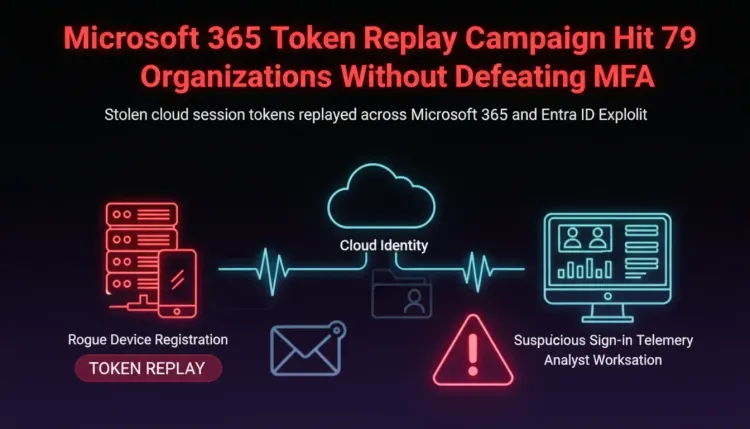
Microsoft 365 Token Replay Campaign Hit 79 Organizations Without Defeating MFA
Executive summary
MFA did not fail in a ten-week Microsoft 365 campaign tracked by Huntress. It was carried through.
Between July 14 and September 22, 2026, attackers used adversary-in-the-middle (AiTM) relays, device-code phishing, and social engineering to obtain valid Microsoft 365 sessions. Huntress responded to related incidents at 79 organizations and recorded at least 497 successful sign-ins against more than 200,000 failed attempts.
The operational lesson is uncomfortable: a stolen session token can look like a legitimate login after the user has already completed MFA. Password resets alone may not remove the attacker’s foothold.
What happened
The campaign replayed stolen sessions primarily from the 193.26.115.0/24 range associated with German hosting provider 1337 Services GmbH. The activity moved through several phases, changing IP addresses and tooling while preserving the same basic objective: reuse a valid cloud session from infrastructure controlled by the attacker.
In the observed incidents, attackers:
- registered at least 48 rogue Entra-joined devices;
- wiped and replaced victims’ MFA methods in 19 organizations;
- created inbox rules that hid messages about payroll, bank transfers, direct deposits, or bonuses; and
- used at least one compromised mailbox to send a payroll-related message to an external accountant.
The campaign reached Microsoft Graph, Exchange Online, SharePoint Online, and the Device Registration Service. Some activity used scripted node or bare Mozilla/5.0 user agents, while another replay path looked like a normal Chrome or Edge session. A hunt based only on unusual user agents would therefore miss part of the activity.
Why MFA was not enough
An AiTM relay sits between the victim and the real sign-in service. The victim can complete a legitimate MFA challenge while the relay captures the resulting session material. The attacker then reuses that valid session from another device or network.
That is different from guessing a password or directly breaking the second factor. The cloud service sees a session that already passed authentication. The result is a form of identity and access management abuse in which the attacker borrows the user’s authenticated state.
Device-code phishing creates a similar outcome through a different flow: the victim is persuaded to enter a code on Microsoft’s genuine sign-in page, unintentionally authorizing a session controlled by the attacker.
Detection priorities
Security teams should review Entra sign-in and audit data for the campaign window and for signs of persistence after the initial login:
- Search interactive and non-interactive sign-ins involving
193.26.115.0/24and related infrastructure, while treating IPs as investigative pivots rather than complete indicators. - Hunt for new Entra devices named
DESKTOP-followed by eight uppercase hexadecimal characters. - Review recently deleted and added authentication methods, especially changes made shortly after an unusual sign-in.
- Inspect inbox rules that mark messages as read, move them to obscure folders, or target payroll and payment language.
- Correlate sign-ins that change operating system, geography, client application, or request type within minutes of a user completing MFA.
- Preserve mailbox, Entra audit, device-registration, and sign-in logs as part of incident response, even when the user’s password has already been reset.
Containment and hardening
For a suspected compromise, revoke the user’s sessions, reset the password, require MFA re-registration, remove attacker-registered devices and authentication methods, and delete malicious inbox rules. Microsoft documents session revocation and MFA re-registration as separate administrative actions; performing only a password reset can leave other persistence mechanisms in place.
Longer term, deploy phishing-resistant MFA for high-value users and administrators, restrict device-code authentication where it is not needed, and use risk-based Conditional Access policies to require interactive reauthentication for sensitive operations. Where supported, Microsoft Entra Token Protection can bind supported tokens to the intended device, reducing the value of a stolen token when it is replayed elsewhere.
The most important control change is conceptual: treat a successful MFA event as one signal in a larger session lifecycle, not as proof that every later action in that session is trustworthy.
What defenders should take away
This campaign shows why cloud identity monitoring must extend beyond password failures and MFA prompts. Attackers can authenticate once through a victim, inherit the resulting trust, and then use ordinary Microsoft 365 features to persist and hide fraud.
Teams that monitor session anomalies, device registration, authentication-method changes, mailbox rules, and privileged actions together have a much better chance of catching the intrusion before it becomes a payment or business-email-compromise event.
References
FAQ
MFA did not fail in a ten-week Microsoft 365 campaign tracked by Huntress. It was carried through.
For a suspected compromise, revoke the user’s sessions, reset the password, require MFA re-registration, remove attacker-registered devices and authentication methods, and delete malicious inbox rules. Microsoft documents session revocation and MFA re-registration as separate administrative actions; performing only a password reset can leave other persistence mechanisms in place.