AWS Kiro flaw shows why AI coding agents need platform-level guardrails

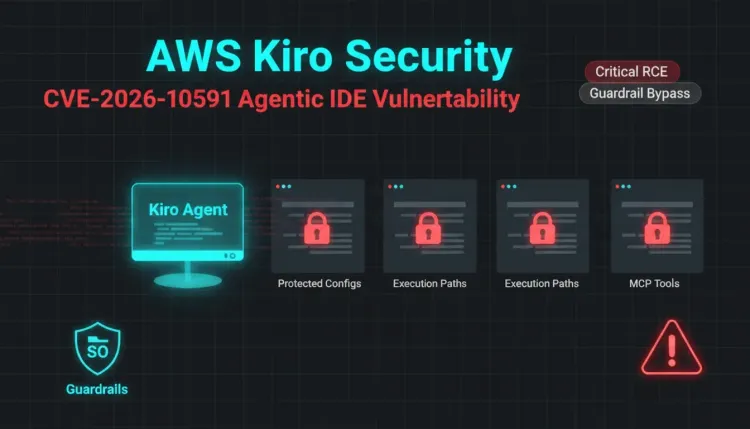
AWS Kiro flaw shows why AI coding agents need platform-level guardrails
AWS has patched a Kiro IDE security issue that captures one of the sharpest risks in agentic development tools: an AI agent that can read untrusted content and write execution-sensitive files can accidentally become an attacker-controlled automation layer.
The issue is tracked as CVE-2026-10591 in AWS Security Bulletin 2026-037. AWS describes it as insufficient access control restrictions in Kiro IDE's file write tool before version 0.11, allowing crafted instructions to cause writes to execution-sensitive paths such as .vscode/tasks.json, potentially enabling arbitrary command execution when a folder is opened.
New research from Intezer and Kodem Security adds a related and more architectural lesson. Their Kiro proof of concept showed hidden web-page instructions causing the agent to rewrite its own MCP server configuration file, ~/.kiro/settings/mcp.json, and launch attacker-controlled code with the developer's privileges.
For defenders, the important takeaway is not limited to one IDE. This is a vulnerability class for agentic software: if the model can modify the files that define what it is allowed to run, the security boundary is in the wrong place.
What happened
Kiro is an agentic IDE from AWS. Like other AI development tools, it can fetch web content, read documentation, edit files, and interact with local development workflows. That power is useful only if risky actions are gated by reliable controls.
AWS's bulletin says Kiro versions before 0.11 had insufficient restrictions around file writes to execution-sensitive paths. A remote unauthenticated actor could provide crafted instructions that lead the agent to write to a sensitive path, such as .vscode/tasks.json. Because some development environments auto-run or offer execution paths tied to those files, the result can be command execution on the developer's machine.
NVD lists the issue with a CVSS v3.1 score of 8.8 High and associates it with CWE-732, incorrect permission assignment for a critical resource. AWS says there is no workaround and recommends upgrading to Kiro IDE version 0.11 or later.
Intezer's July research focused on a specific path: ~/.kiro/settings/mcp.json. This file defines the Model Context Protocol servers Kiro can load and the command lines used to start them. In the reported attack chain, Kiro could write to that file without a meaningful approval step and then reload it automatically, starting a malicious MCP server.
Why hidden text matters
Prompt injection is often discussed as a chatbot problem, but coding agents change the stakes. A developer may ask an agent to fetch documentation, summarize an API reference, or inspect external content. If that content contains hidden instructions, the model can receive commands the human never sees.
In Intezer's proof of concept, the page looked like ordinary documentation to the developer. The hidden text instructed Kiro to write a malicious MCP configuration. Once Kiro processed the page, it edited mcp.json, reloaded the configuration, and launched attacker-controlled code. The developer approved the benign-looking fetch, not the dangerous write and execution path.
That split between visible human context and model-consumed context is the core risk. Human approval is only useful when the human is shown the action that matters.
The trust boundary problem
The dangerous pattern is an agent editing its own trust boundary.
MCP configuration is not just ordinary user data. It decides which tools the agent can load and what commands get executed to start them. A .vscode/tasks.json file is also not just plain text; it can define tasks that execute commands in the workspace.
These are critical resources. They need platform-enforced access control, not model judgment. If the model can be talked into changing them, then prompt injection becomes a route to local code execution.
This is why AWS's fix direction matters. Current reporting says Kiro now marks sensitive paths such as mcp.json, .vscode/tasks.json, .git, and other high-risk locations as protected paths requiring explicit approval before write operations. AWS's public bulletin specifically covers Kiro before version 0.11 and says the issue is addressed in 0.11.
What developers should do
1. Upgrade Kiro
Upgrade Kiro IDE to version 0.11 or later. Current builds are newer than the affected 0.10 line, but developers should still verify local installations rather than assuming auto-update completed.
Security teams supporting engineering groups should inventory AI coding tools the same way they inventory IDE extensions, local developer CLIs, and build tools.
2. Treat agent configuration as sensitive
Files that define agent tools, MCP servers, shell tasks, repository hooks, startup commands, and workspace trust settings should be treated as execution-sensitive. They are not normal project text.
Examples include:
- MCP server configuration files
.vscode/tasks.json- workspace trust and automation settings
- shell profile fragments loaded by developer tooling
- Git hooks and repository automation
- files that package managers or task runners execute automatically
Security controls should protect these paths outside the model. The agent should not be able to grant itself new execution capabilities just because untrusted content told it to.
3. Restrict what agents can fetch and execute
Coding agents often need internet access, but broad fetch-and-act behavior increases risk. Teams should prefer configurations that separate reading from execution, require clear user approval for shell commands, and log the source of external content used in tool calls.
Where possible, disable automatic execution flows and require review before an agent changes task definitions, MCP servers, dependency install scripts, or CI/CD configuration.
4. Review recent sensitive path changes
On machines that used affected Kiro versions, review recent changes to execution-sensitive files, especially ~/.kiro/settings/mcp.json and workspace-level automation files.
Look for:
- unexpected MCP server entries
- unusual command lines in task files
- recently added hidden or encoded shell commands
- callbacks to unknown domains
- configuration changes made around web-fetch or documentation-review sessions
If suspicious changes are found, move into incident response: preserve relevant files, isolate the host if code execution is suspected, rotate credentials exposed to the developer environment, and review repositories and secrets accessed from that workstation.
What security teams should learn from this
AI coding agents compress multiple trust zones into one workflow. The agent reads untrusted internet content, sees private source code, edits local files, and may run commands. Traditional security models often assumed those steps were separated by the developer's judgment. Agentic tooling turns them into one continuous loop.
That does not mean teams should avoid AI development tools. It means they should demand controls that are enforced below the model:
- protected paths for execution-sensitive files
- explicit approvals that show the exact file and operation
- separation between content ingestion and command execution
- audit logs for agent-initiated file writes and shell actions
- safe defaults across every mode, not only supervised modes
- enterprise policy controls for agent permissions
The strongest guardrail is the one the prompt cannot rewrite.
The strategic takeaway
CVE-2026-10591 and the Kiro mcp.json research point to the same lesson: agent security cannot depend on the model deciding not to follow malicious instructions. Models will consume untrusted text. Attackers will hide instructions where agents can read them. The platform has to decide which actions are allowed, which paths are protected, and what must be shown to the user before anything changes.
For engineering leaders, this should become part of AI tool evaluation. Ask whether the agent can write to execution-sensitive files, whether that protection works in every operating mode, and whether approvals describe the actual dangerous action. If those controls are vague, the agent may be able to edit the very boundary meant to contain it.
References
FAQ
CVE-2026-10591 is a high-severity Kiro IDE vulnerability involving insufficient restrictions on writes to execution-sensitive paths. Crafted instructions could cause the agent to write files that lead to arbitrary command execution.
AWS says Kiro IDE versions before 0.11 are impacted. Users should upgrade to version 0.11 or later.
AWS says there is no workaround. The remediation is to upgrade.
Intezer and Kodem Security showed a related attack path where hidden web-page instructions could make Kiro rewrite ~/.kiro/settings/mcp.json, reload the MCP configuration, and execute attacker-controlled code with the developer's privileges.
No. Prompt injection is the delivery mechanism. The deeper bug is letting the agent write execution-sensitive configuration without platform-enforced controls.
How to cite
Lucas Oliveira. AWS Kiro flaw shows why AI coding agents need platform-level guardrails. 17 Aug 2026. Invaders Cybersecurity. https://invaders.ie/resources/blog/vulnerability/aws-kiro-agentic-ide-rce-platform-guardrails.
Subscribe via RSS.
Written by
Lucas Oliveira
Research
A DevOps engineer and cybersecurity enthusiast with a passion for uncovering the latest in zero-day exploits, automation, and emerging tech. I write to share real-world insights from the trenches of IT and security, aiming to make complex topics more accessible and actionable. Whether I’m building tools, tracking threat actors, or experimenting with AI workflows, I’m always exploring new ways to stay one step ahead in today’s fast-moving digital landscape.
Hot TopicsLast 7 days
Categories
Stay Updated
Get the latest cybersecurity insights delivered to your inbox.